
KENWOOD RECEIVER REPAIR IN NAIROBI, KENYA: COMPLETE GUIDE TO AUDIO RECEIVER DIAGNOSIS, AMPLIFIER REPAIR AND HOME THEATRE SERVICING
Kenwood Receiver Repair in Nairobi, Kenya – Pro-Logic Technologies Limited
Is your(call 0723763173)Kenwood receiver failing to power on, producing no sound, entering protection mode, overheating, or delivering distorted audio? Professional diagnosis is essential to identify the cause of the problem and determine the most appropriate repair. Pro-Logic Technologies Limited provides electronics troubleshooting and repair services for audio receivers, stereo amplifiers, home theatre systems, and related electronic equipment in Nairobi, Kenya.
A Kenwood receiver is a complex electronic device that combines several functional sections, including power supply circuitry, audio input selection, signal processing, amplification, speaker protection, and control electronics. Depending on the model, it may also contain digital audio processing, HDMI switching, network connectivity, Bluetooth, radio tuning, and multichannel surround-sound circuitry. A fault in one section can affect the entire receiver or cause only one feature to stop working.
This comprehensive guide explains Kenwood receiver repair, common receiver problems, diagnostic procedures, electronic components involved in repairs, amplifier troubleshooting, protection-mode faults, maintenance practices, and the information customers should provide when seeking professional servicing.
For receiver diagnosis and repair enquiries, contact Pro-Logic Technologies Limited on 0723763173.
1. INTRODUCTION TO KENWOOD RECEIVER REPAIR
Kenwood receivers are used in home entertainment systems, stereo listening setups, music systems, and various audio installations. Depending on the model, a receiver may function as a stereo amplifier, AV receiver, radio tuner, or central controller for a multichannel home theatre system.
When a Kenwood receiver develops a fault, the visible symptom does not always identify the defective component. A receiver that appears completely dead may have a problem in its standby power supply, main power supply, control circuit, or protection system. A receiver that powers on without producing sound may have an amplifier fault, a speaker relay problem, an incorrect input setting, or a failure in its audio signal path.
Effective Kenwood receiver repair in Nairobi begins with understanding how the equipment operates and testing the relevant circuits systematically.
A proper repair process should establish the following:
- Whether the receiver receives the correct AC power supply.
- Whether the standby power supply is operating.
- Whether the main power supply starts correctly.
- Whether the control processor receives the necessary supply voltages.
- Whether the amplifier output stage is functioning.
- Whether the protection circuit is responding correctly.
- Whether audio signals pass through the receiver to the speaker outputs.
- Whether the fault is electronic, mechanical, configuration-related, or associated with external equipment.
These checks help avoid unnecessary component replacement and reduce the risk of damaging other sections during troubleshooting.
Pro-Logic Technologies Limited assists customers seeking electronics repair and technical diagnosis in Nairobi, including enquiries about Kenwood audio receivers and amplifiers.
2. WHAT IS A KENWOOD RECEIVER?
A Kenwood receiver is an electronic audio device designed to receive, process, and amplify audio signals. Its precise functions depend on the model.
A stereo receiver generally handles two main audio channels, left and right. An AV receiver may support multiple speaker channels, digital audio formats, video inputs, surround-sound processing, and other home theatre features.
Although different models have different circuit designs, many receivers contain several common functional blocks.
2.1 Power supply section
The power supply converts incoming electrical energy into the voltage levels required by the receiver's electronic circuits. Some designs use a conventional transformer and rectifier arrangement, while others include switch-mode supplies for particular functions.
The power supply may provide separate voltage rails for the amplifier, control circuitry, display, tuner, and digital processing boards.
A power supply fault can cause a completely dead receiver, intermittent startup, distorted sound, repeated shutdown, or failure of particular features.
2.2 Audio input section
The input section receives audio from connected equipment. Depending on the model, supported inputs may include analogue audio connections, optical or coaxial digital audio, HDMI, Bluetooth, radio tuner inputs, or network audio sources.
If the input section fails, the receiver may power on normally but fail to reproduce sound from one or more sources.
2.3 Audio processing section
An AV receiver may use digital signal processing to decode audio formats, adjust speaker delays, manage bass, control volume, and process surround-sound signals.
A failure in this section can cause missing channels, audio dropouts, incorrect speaker output, or problems with digital inputs.
2.4 Amplifier output section
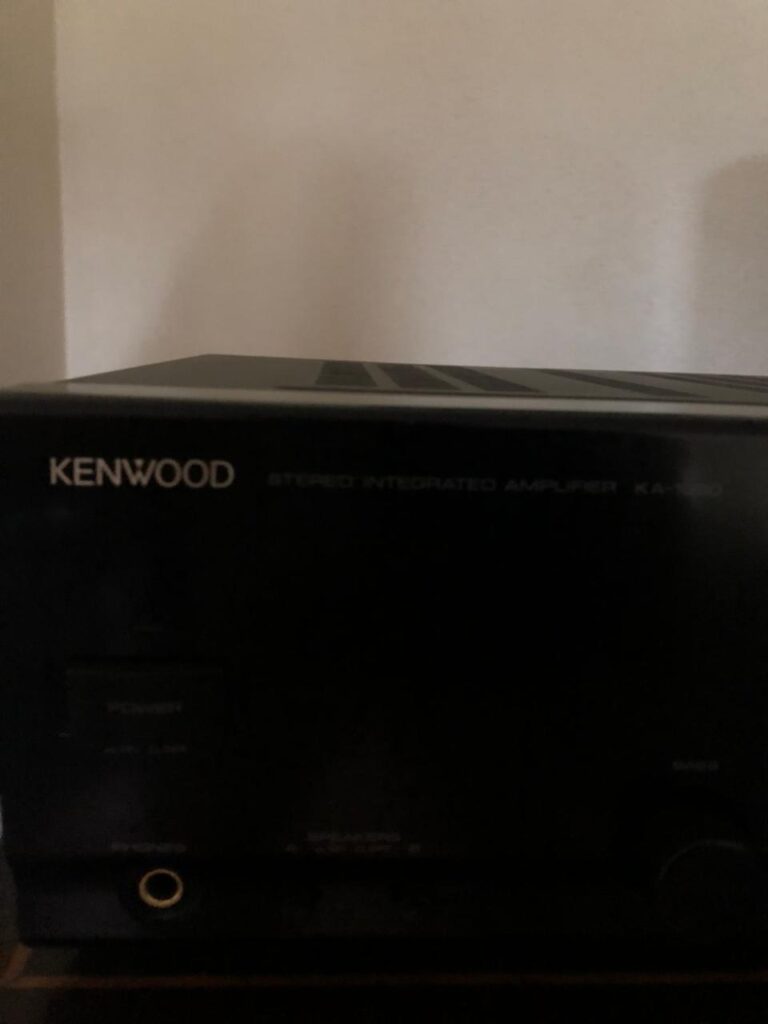
The amplifier stage increases the audio signal's power sufficiently to drive connected speakers. Depending on the receiver design, the output stage may use discrete transistors, integrated amplifier devices, or another circuit arrangement.
An output-stage fault can cause distortion, a missing channel, excessive heating, protection mode, or a short circuit.
2.5 Speaker protection circuit
Many receivers include circuitry designed to disconnect the speakers when potentially damaging conditions are detected. These conditions can include excessive DC voltage at the amplifier output, overcurrent, overheating, or other model-specific fault conditions.
A receiver entering protection mode should be investigated carefully. The protection circuit may be responding correctly to a genuine electrical fault.
2.6 Control and display section
The control board processes user commands and manages functions such as startup, input selection, volume adjustment, and system status. Depending on the design, it may communicate with other circuit boards through connectors and digital communication lines.
A receiver that appears frozen, ignores buttons, or displays abnormal information may have a control, power supply, firmware, or communication problem.
Understanding these functional blocks makes Kenwood receiver diagnosis and repair more systematic.
3. KENWOOD RECEIVER NOT POWERING ON
One of the most common reasons customers seek Kenwood receiver repair is a receiver that will not switch on.
The symptoms may vary. Some receivers show no display or indicator lights. Others briefly illuminate the display before shutting down. A receiver may also remain in standby mode without responding to the power button.
The cause must be established through testing rather than assuming that the main amplifier is defective.
3.1 Check the external power supply
Before opening the equipment, confirm that the wall outlet is working and that the power cord is properly connected. Check any external power switch, extension lead, or surge protector used with the receiver.
Where the receiver has a removable power cord, inspect it for visible damage and ensure that it is firmly connected.
Do not bypass a fuse, use an incorrectly rated fuse, or connect equipment to an unsuitable electrical supply.
3.2 Inspect the standby circuit
Some receivers have a standby supply that remains active even when the main amplifier is switched off. This supply allows the control processor to detect a power-button command and initiate startup.
If the standby supply is missing, the receiver may appear completely dead.
Possible causes include:
- A failed standby power supply.
- An open fuse or protective component.
- A defective rectifier or regulator.
- Damaged capacitors.
- Faulty switching components.
- Broken solder joints or damaged connectors.
- A control circuit that is not receiving its required voltage.
The exact components depend on the receiver's model and circuit design.
3.3 Inspect the main power supply
If standby operation is present but the receiver fails to start, the main power supply may not be activating correctly.
A qualified technician may examine the supply rails, startup-control signals, rectification stage, switching circuit, transformer, and associated protection components.
Measurements must be compared with the manufacturer's service documentation wherever available.
3.4 Check the startup and protection sequence
Some receivers briefly start and then shut down because the protection system detects a problem. Others may fail to complete the startup sequence because a power rail is missing or a circuit board is not communicating correctly.
The technician should distinguish between a receiver that cannot start and one that deliberately shuts down in response to a fault.
Professional repair approach: Pro-Logic Technologies Limited can assess enquiries about Kenwood receivers that are completely dead, remain in standby, or fail during startup. Providing the exact model number and a description of the symptoms helps establish the appropriate diagnostic direction.
4. KENWOOD RECEIVER POWERS ON BUT HAS NO SOUND
A Kenwood receiver that powers on normally but produces no sound requires a different diagnostic approach from a completely dead unit.
The display may operate, the input selector may respond, and the volume control may function, yet no audio reaches the speakers.
Possible causes include incorrect settings, defective speaker connections, a faulty input source, a failed speaker relay, an amplifier-stage problem, or a fault in digital audio processing.
4.1 Check the selected input
Confirm that the receiver is set to the input connected to the audio source. For example, selecting an optical input will not necessarily produce sound from a device connected only through an analogue input.
If possible, test another known-working audio source and a different supported input.
4.2 Check mute and speaker settings
A receiver may have its output muted, its speaker channels disabled, or its audio routed to an output that is not connected to the speakers.
On multichannel AV receivers, incorrect speaker configuration or an unsupported audio format can also affect playback.
Consult the model's operating instructions before changing advanced settings.
4.3 Inspect the speaker connections
Disconnect power before inspecting speaker wiring. Look for loose strands of copper wire, damaged insulation, incorrect terminal connections, or wires touching adjacent terminals.
A shorted speaker cable can cause protection activation or prevent the amplifier from operating normally.
Use speakers with an impedance rating supported by the receiver. Do not assume that every Kenwood receiver supports the same speaker impedance.
4.4 Investigate the speaker relay
Some receiver designs use a relay to connect the amplifier outputs to the speaker terminals after startup checks are completed.
If the relay contacts are damaged or the relay drive circuit is faulty, the receiver may power on without delivering audio to the speakers.
However, a relay that does not engage may also be a consequence of an amplifier fault. Replacing the relay without checking the surrounding circuit may not solve the problem.
4.5 Test the amplifier signal path
If the external connections and settings are correct, a technician may trace the audio signal through the receiver's input, processing, volume-control, driver, and output stages.
Testing can help determine whether the signal disappears before amplification or whether the amplifier itself fails to deliver the expected output.
Kenwood receiver no-sound repair should therefore begin with basic configuration checks and progress to circuit diagnosis when necessary.
5. KENWOOD RECEIVER PROTECTION MODE REPAIR
Protection mode is a particularly important fault category because it can indicate a condition that may damage the amplifier or connected speakers.
Depending on the model, the receiver may display a message such as PROTECT, flash an indicator, click and shut down, or enter standby shortly after startup.
The exact meaning of the indication must be checked against the appropriate service manual.
5.1 Shorted speaker wiring
Loose strands of speaker wire can bridge positive and negative terminals or create an unintended connection between adjacent outputs.
This may trigger overcurrent protection.
The technician should inspect the wiring and test the receiver using a safe, model-appropriate diagnostic procedure.
5.2 Defective output transistors
In receiver designs using discrete output transistors, one or more devices can fail short-circuit or develop abnormal leakage.
A failed transistor may cause excessive current, abnormal output voltage, overheating, or protection shutdown.
Testing generally involves examining the output devices and associated driver components while the equipment is safely isolated from power.
5.3 Excessive DC offset
An amplifier output that develops an abnormal DC voltage can potentially damage speakers.
Protection circuitry may detect this condition and prevent the speaker relay from engaging.
A technician should investigate the output-stage components, bias circuit, feedback network, and relevant supply rails to establish the underlying cause.
5.4 Overheating
A receiver may shut down because its heat sinks are unable to dissipate heat effectively. Restricted ventilation, accumulated dust, an overloaded speaker connection, excessive volume, or an internal amplifier fault may contribute to the problem.
Repeated overheating should not be treated as a normal operating condition.
5.5 Power supply abnormalities
Incorrect or unstable supply voltages can cause the protection circuit to activate even when the initial symptom resembles an amplifier failure.
A thorough diagnostic process checks the relevant supply rails and their behaviour during startup.
Important: Do not repeatedly force a Kenwood receiver out of protection mode. Do not bridge a protection relay or bypass protective circuitry to obtain sound. The protection system must be treated as a diagnostic indicator, not an obstacle to be defeated.
6. KENWOOD RECEIVER AMPLIFIER REPAIR
The amplifier section is responsible for delivering sufficient electrical power to the connected speakers.
A defective amplifier stage can produce several symptoms, including distortion, reduced output, a silent channel, intermittent sound, abnormal heating, or repeated protection shutdown.
The repair process depends on the amplifier architecture and the exact failure.
6.1 Output-stage diagnosis
For receivers using discrete output transistors, diagnosis may include testing the output devices, driver transistors, emitter resistors, bias components, and feedback circuitry.
For receivers using integrated amplifier devices, the technician must establish whether the integrated circuit is receiving the correct supplies and input signal before concluding that the device itself is defective.
The appropriate procedure depends on the circuit design.
6.2 Driver-stage faults
Driver components provide the signals needed to operate the output stage. A defective driver can cause a channel to stop working or produce severe distortion.
A damaged driver may also be a consequence of a failed output transistor, so related components must be checked before replacing parts.
6.3 Bias circuit problems
The bias circuit establishes the operating conditions of an amplifier's output devices. Incorrect bias may cause crossover distortion, excessive idle current, or overheating.
Bias adjustment should follow the manufacturer's specified test procedure and values. Guesswork can create additional damage.
6.4 Feedback and signal coupling
The feedback network helps determine amplifier gain and stability. Coupling components allow audio signals to pass between circuit stages while controlling unwanted DC interaction.
Damaged resistors, capacitors, or connections in these circuits can contribute to unstable operation, abnormal gain, or distortion.
6.5 Post-repair verification
After an amplifier repair, the technician should verify the relevant supply voltages, output conditions, thermal behaviour, and audio performance using suitable test equipment.
The receiver should be tested under appropriate loads and operating conditions before being returned to service.
7. KENWOOD RECEIVER ONE CHANNEL NOT WORKING
A receiver may reproduce sound through the left speaker but not the right speaker, or one channel may be much quieter than the other.
This problem may arise from external connections, input configuration, signal processing, a relay contact, or a defective amplifier channel.
First, establish whether the problem affects all sources or only one input. If only one source is affected, the source device, cable, or input configuration may be responsible.
If the problem occurs across several inputs, the receiver's internal circuitry may require further examination.
On stereo equipment, technicians may compare the signal paths of the working and non-working channels. Where the design permits, they can examine the relevant supply rails, input signals, driver circuits, output devices, and speaker switching components.
On AV receivers, the fault may involve an individual channel, a shared processing circuit, or a configuration issue affecting speaker routing.
Avoid randomly exchanging internal connectors or circuit boards. Some boards contain delicate ribbon cables, and incorrect connections can cause further damage.
Kenwood receiver channel repair should identify why the affected channel fails rather than simply replacing its output components.
8. KENWOOD RECEIVER DISTORTED SOUND AND CRACKLING
Distorted audio may sound harsh, weak, fuzzy, intermittent, or unusually loud at certain volume levels. Crackling may occur when adjusting the volume, changing inputs, or playing audio.
Different symptoms suggest different possible causes.
8.1 Distortion at high volume
Distortion that appears mainly at high volume may be associated with amplifier clipping, inadequate power delivery, an unsuitable speaker load, or a fault in the output stage.
However, distortion can also originate from the audio source or speakers.
8.2 Crackling during volume adjustment
Crackling that occurs when changing volume may indicate a contaminated or worn potentiometer in models that use one. Receivers with digital volume controls may have different causes, including control or signal-processing faults.
Cleaning products should not be sprayed indiscriminately into the equipment. The correct procedure depends on the component type and manufacturer guidance.
8.3 Distortion in one channel
If only one channel distorts, possible causes include a faulty amplifier stage, damaged speaker cable, defective speaker, poor solder connection, or an input-related problem.
Comparing the channels under controlled conditions can help isolate the fault.
8.4 Intermittent audio
Sound that cuts in and out may result from loose connectors, damaged solder joints, a failing relay, thermal problems, or unstable supply voltages.
A receiver that works when cold but fails after warming up requires careful thermal and electrical investigation.
8.5 Source-related distortion
Before opening the receiver, test a different known-working source and suitable speakers. A damaged recording, defective source device, or incompatible connection may create symptoms that resemble an amplifier fault.
The objective of Kenwood receiver audio repair is to establish whether the distortion originates inside the receiver or elsewhere in the sound system.
9. KENWOOD RECEIVER POWER SUPPLY REPAIR
The power supply is one of the most important sections of a receiver because it supports the operation of the amplifier, control electronics, display, and signal-processing circuits.
Depending on the design, a receiver may use a conventional transformer-based supply, a switch-mode supply for certain functions, or a combination of supply arrangements.
9.1 Transformer faults
A damaged transformer can cause missing supply voltages, abnormal heating, unusual noise, or a receiver that fails to start.
A technician must distinguish a transformer problem from faults in the rectifier, regulator, switching circuit, wiring, or downstream load.
9.2 Rectifier faults
Rectifiers convert AC into DC for electronic circuits. A failed rectifier may interrupt a supply rail or cause abnormal ripple and heating.
Testing should follow the circuit design and take account of the connected components.
9.3 Capacitor faults
Electrolytic capacitors help filter supply ripple and support stable operation. Age, heat, electrical stress, or component deterioration may affect their performance.
A capacitor does not have to look swollen to be defective. Appropriate electrical testing may be needed to assess its condition.
9.4 Voltage regulator faults
Regulators maintain specified voltage levels for sensitive electronic circuits. If a regulator fails, the affected circuit may stop working or receive an incorrect supply.
Replacing a regulator without checking its input voltage, output load, and surrounding components can lead to a repeated failure.
9.5 Fuse and protective component faults
A blown fuse is evidence that a protective device has opened. It is not proof that the fuse itself caused the problem.
The cause of the overcurrent or other failure should be investigated before fitting the correct replacement fuse.
Safety: Receiver power supplies can contain hazardous voltages, and capacitors may retain stored energy after the unit is disconnected. Internal measurements and repairs should be performed by a qualified technician using suitable equipment and safe procedures.
10. KENWOOD RECEIVER HDMI AND DIGITAL AUDIO FAULTS
Many AV receivers include digital audio and video interfaces. These features introduce additional possible failure points beyond the traditional analogue amplifier section.
Symptoms may include no sound from a television, no audio from an HDMI-connected device, intermittent signal detection, missing surround channels, or a display that shows an input but produces no audio.
10.1 HDMI input selection
Confirm that the receiver is using the correct HDMI input and that the connected source is configured to send an audio format supported by the receiver.
An incorrect television audio-output setting can also prevent sound from reaching the receiver.
10.2 Audio format compatibility
Some receivers support only particular digital audio formats or channel configurations. A source device may need to be configured to output a compatible format.
The correct settings depend on the receiver model, television, and connected source.
10.3 HDMI cable and connection problems
A damaged cable, loose connector, or incompatible connection arrangement can interrupt audio or video signals.
Testing with a known-working compatible cable and source can help eliminate external causes.
10.4 Digital processing faults
If external connections and configuration have been verified, a fault in the receiver's digital processing circuitry may need investigation.
The technician should determine whether the receiver receives the expected digital signal, processes it correctly, and passes audio into the appropriate output path.
Not every digital audio problem requires board-level repair. Correct configuration and compatible connections should be checked first.
11. KENWOOD RECEIVER DISPLAY AND CONTROL BUTTON PROBLEMS
A receiver may power on but show an abnormal display, fail to respond to buttons, or ignore commands from its remote control.
Possible causes include control-board faults, incorrect settings, power supply problems, defective switches, damaged connectors, or communication failures between internal boards.
11.1 Display not working
If sound is present but the display is dark, the fault may be limited to the display circuit or its supply.
If neither the display nor the audio operates, the problem may involve a shared supply or control section.
11.2 Buttons not responding
A stuck button, worn switch, contaminated control, or defective control circuit may prevent normal operation.
External obstructions and remote-control problems should be ruled out before internal diagnosis.
11.3 Remote control not working
Check the remote's batteries, the correct operating mode, and whether the receiver responds to its own front-panel controls.
If front-panel controls work but the remote does not, the fault may lie in the remote, the receiver's infrared sensor, or the associated control circuitry.
11.4 Receiver freezing during operation
A receiver that freezes may have an unstable supply, control-board fault, firmware problem, overheating issue, or communication failure.
Any reset procedure should be specific to the model. A reset can erase user settings and does not repair a defective component.
12. KENWOOD RECEIVER OVERHEATING AND AUTOMATIC SHUTDOWN
Receivers generate heat during operation, particularly when driving speakers at high volume. Their ventilation openings and heat sinks are designed to dissipate this heat.
Excessive temperature, however, can cause automatic shutdown or contribute to component deterioration.
Possible causes include blocked ventilation, excessive speaker loading, a failed cooling fan where fitted, an amplifier fault, incorrect bias conditions, or a supply problem.
12.1 Improve ventilation
Place the receiver on a stable surface with the clearance recommended by the manufacturer. Do not block its ventilation openings or enclose it in a space that traps heat.
12.2 Check speaker compatibility
Using speakers outside the receiver's supported impedance range can increase current demand and heating.
Follow the manufacturer's speaker-connection instructions for the exact model.
12.3 Investigate internal heating
If the receiver becomes excessively hot at moderate volume, the technician may need to examine amplifier bias, output devices, supply voltages, and cooling arrangements.
12.4 Avoid repeated shutdown cycles
If the receiver repeatedly switches itself off, allow it to cool and disconnect it from power. Do not keep restarting it to see whether the problem disappears.
Kenwood receiver overheating repair should address the reason for the excessive temperature rather than merely improving ventilation while leaving an electrical fault unresolved.
13. KENWOOD RECEIVER MAINTENANCE
Regular maintenance can help reduce preventable problems and support reliable operation.
Keep the receiver clean, dry, properly ventilated, and connected to compatible speakers and sources. Inspect external cables for damage and avoid placing liquids near the equipment.
Do not open the receiver merely to remove dust unless you have the required technical training and understand the electrical hazards.
Useful maintenance practices include:
- Following the manufacturer's ventilation recommendations.
- Using compatible speakers and appropriate speaker wiring.
- Avoiding prolonged operation at excessive volume.
- Disconnecting power before inspecting external connections.
- Keeping liquids away from the receiver.
- Using suitable electrical protection where appropriate.
- Addressing unusual noises, burning smells, or repeated shutdowns promptly.
- Seeking professional diagnosis when a fault persists.
Maintenance cannot prevent every component failure, but it can help reduce risks associated with poor ventilation, unsuitable connections, and careless handling.
14. KENWOOD RECEIVER REPAIR SERVICES IN NAIROBI
Customers looking for Kenwood receiver repair in Nairobi, Kenya should provide enough information to identify the equipment and describe its symptoms.
The model number is particularly important because Kenwood receivers differ in circuit architecture, supported features, component availability, and service procedures.
Pro-Logic Technologies Limited handles electronics repair enquiries and can assess the information provided to determine the appropriate next diagnostic steps.
When contacting the workshop, provide the following details where possible:
- The complete Kenwood model number.
- Whether the receiver powers on.
- Any error message or protection indication.
- Whether sound is available from any channel.
- Whether the problem occurs on all inputs or only one.
- Whether the receiver overheats or shuts down.
- Any recent electrical incident, liquid exposure, or previous repair.
- Clear photographs of the front panel and rear model label.
These details help establish the fault category and the information needed for further diagnosis.
Workshop: Luthuli Avenue, Kangari Building, 3rd Floor, Room KA7, Nairobi.
Telephone: 0723763173.
Email: info@prologictechnologies.co.ke.
Website: https://prologictecnologies.co.ke.
15. WHY ACCURATE DIAGNOSIS MATTERS
Audio receivers contain interconnected electronic circuits. A fault in one component can damage another, and similar symptoms can arise from different underlying causes.
For example, a blown output transistor may be accompanied by a damaged driver transistor or an open emitter resistor. Replacing only the visibly damaged component may lead to another failure if the associated circuit is not examined.
Likewise, a receiver that enters protection mode may have a genuine amplifier fault, a shorted speaker connection, an unstable supply, or another condition identified by the model's protection system.
Accurate diagnosis involves identifying the symptoms, checking external causes, consulting the relevant service documentation, measuring the appropriate circuits, and confirming that the repair resolves the original problem.
The objective is not simply to make the receiver switch on. It is to restore safe and reliable operation while reducing the risk of repeat failure.
16. KENWOOD RECEIVER REPAIR: FREQUENTLY ASKED QUESTIONS
Can a Kenwood receiver that is completely dead be repaired?
Possibly. A completely dead receiver may have a faulty power supply, standby circuit, fuse, control circuit, or another internal problem. Testing is needed to establish whether repair is practical.
Why does my Kenwood receiver display PROTECT?
Protection mode may indicate shorted speaker wiring, an amplifier output fault, abnormal DC voltage, overheating, or another model-specific condition. Check the manual and disconnect the equipment if it repeatedly shuts down. Do not bypass the protection circuit.
Why does my Kenwood receiver power on but produce no sound?
Possible causes include incorrect input selection, muted outputs, speaker wiring problems, a failed speaker relay, audio-processing faults, or an amplifier-stage failure. Begin with external checks before arranging internal diagnosis.
Can one channel of a Kenwood receiver be repaired?
In many cases, a single-channel fault can be investigated and repaired if the cause is identified and suitable parts and technical documentation are available. The exact feasibility depends on the model and the extent of the damage.
Why does my receiver overheat?
Possible causes include restricted ventilation, excessive speaker loading, prolonged high-volume operation, a cooling fault, or defective amplifier components. Repeated overheating requires investigation.
Do I need the model number when requesting repair?
Yes. The model number helps identify the receiver's design, features, relevant service information, and potential replacement components.
How can I request Kenwood receiver repair in Nairobi?
Contact Pro-Logic Technologies Limited on 0723763173 and provide the model number, fault symptoms, and photographs where available. The appropriate repair requirements can then be assessed.
17. CONTACT PRO-LOGIC TECHNOLOGIES LIMITED FOR KENWOOD RECEIVER REPAIR
A faulty Kenwood receiver does not always require replacement. Depending on the model, fault, component availability, and overall condition, professional diagnosis may identify a practical repair option.
Whether your receiver is dead, stuck in protection mode, producing distorted audio, missing a channel, overheating, or experiencing digital audio problems, the first step is to establish the actual cause.
Pro-Logic Technologies Limited welcomes enquiries about electronics troubleshooting and audio equipment repair in Nairobi, Kenya.
KENWOOD RECEIVER REPAIR ENQUIRIES
Company: Pro-Logic Technologies Limited
Phone: 0723763173
Email: info@prologictechnologies.co.ke
Website: https://prologictecnologies.co.ke
Workshop: Luthuli Avenue, Kangari Building, 3rd Floor, Room KA7, Nairobi.
Contact the workshop with your Kenwood receiver's model number and a description of the fault to discuss the appropriate diagnostic process.
KENWOOD RECEIVER REPAIR IN NAIROBI – PROFESSIONAL DIAGNOSIS, AMPLIFIER TROUBLESHOOTING AND AUDIO EQUIPMENT SERVICING BY PRO-LOGIC TECHNOLOGIES LIMITED.